
Problem:
- The user would like to upgrade multiple recorders at once.
Pre-requisites:
- Latest fw for the recorder has been downloaded to the local PC
- Latest version of starnet is installed
Solution:
- Open StarNet.

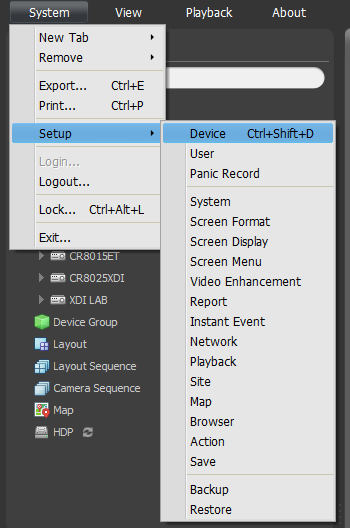
- Enter the System>Setup>Device menus.
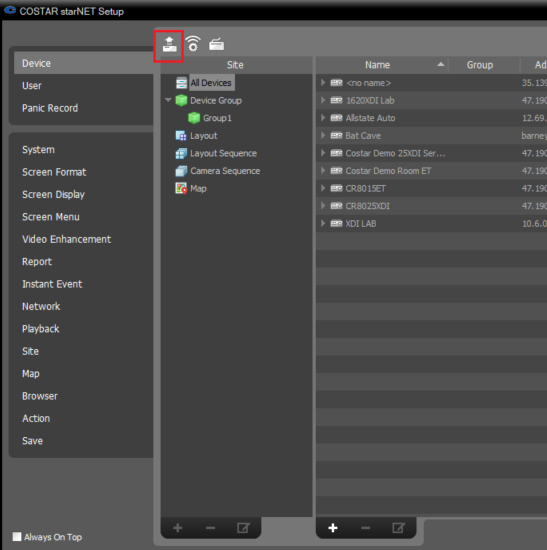
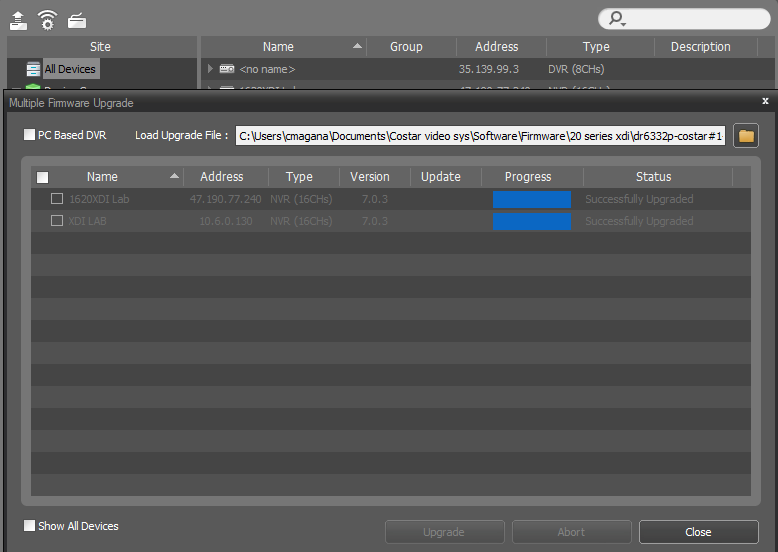
- Select the Multiple Firmware Upgrade option.
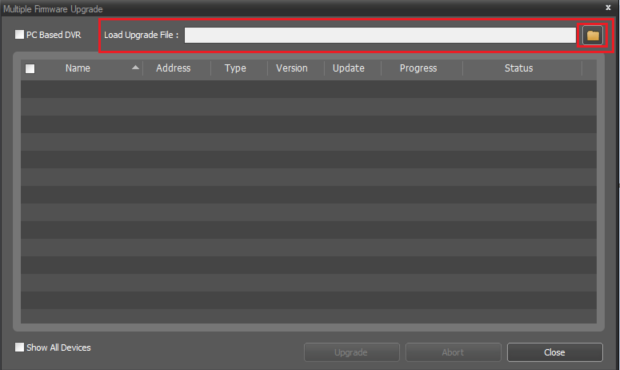
- Click the folder to the right and then select the file to upload.
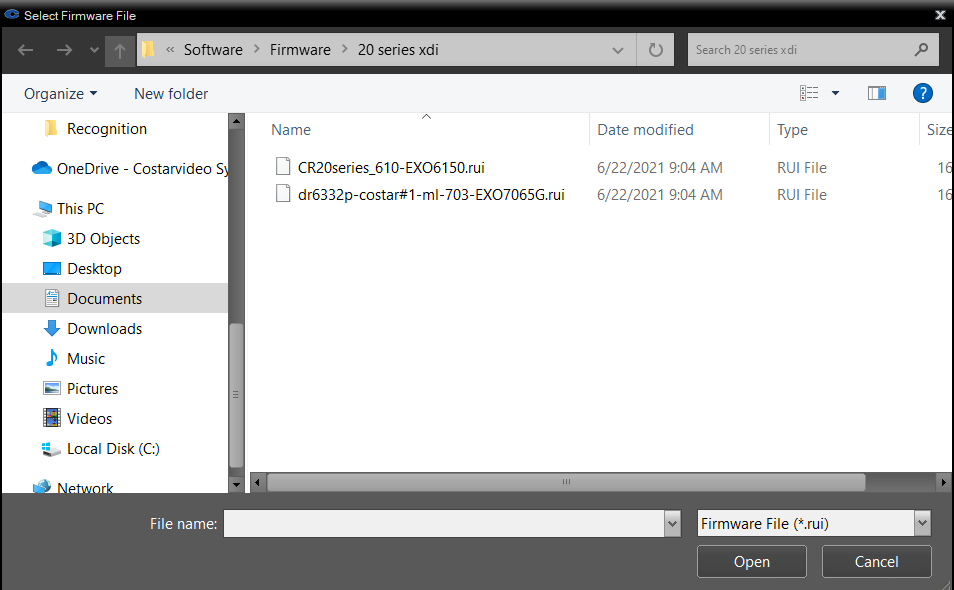
- Select the firmware from the file browser.
- Once the file is selected, applicable recorders will appear.
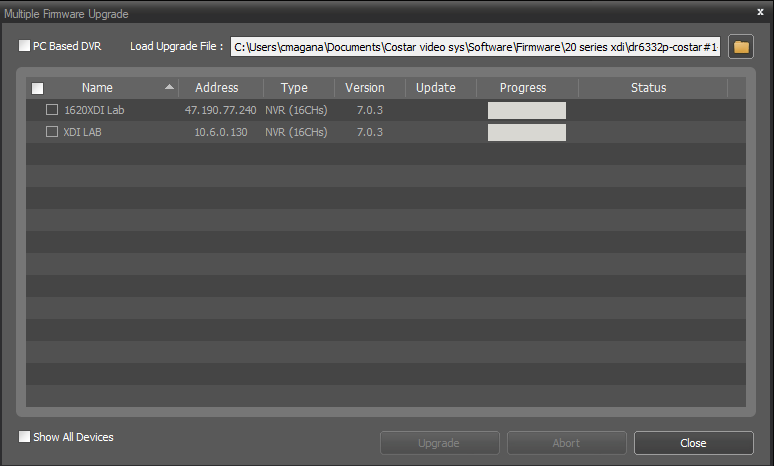
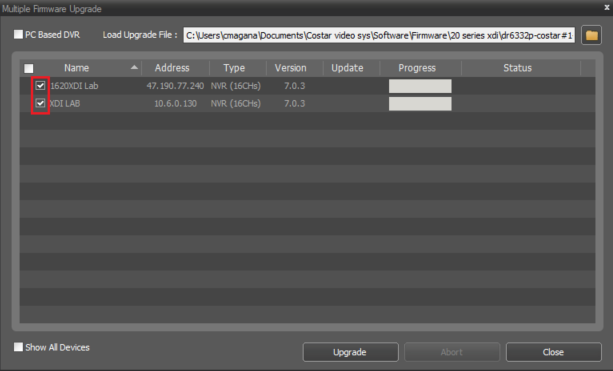
- Select the recorders that will be upgraded. Note: There is no limit to the number of recorders you can select. The software will update 10 at one time then move on to the next when done.
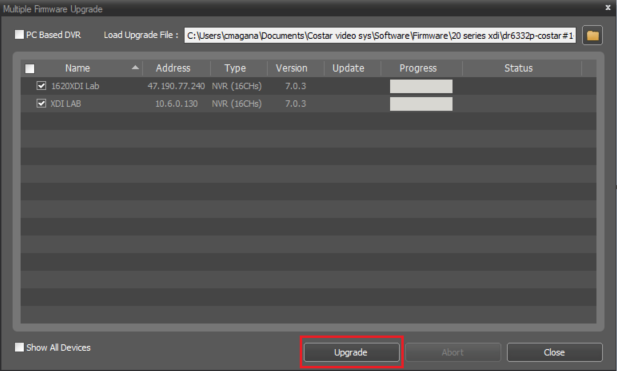
- Select Upgrade.
- Monitor the progress bars as the upgrade loads.
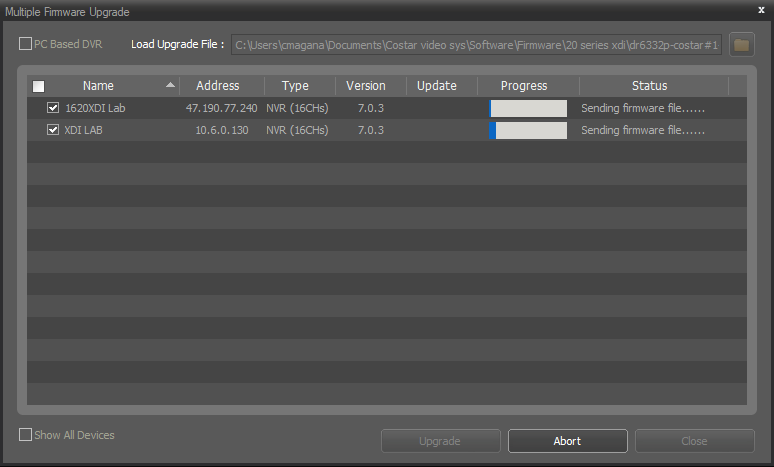
- When the upgrade completes, click Close.
Comments
0 comments
Article is closed for comments.